mille check
Overview
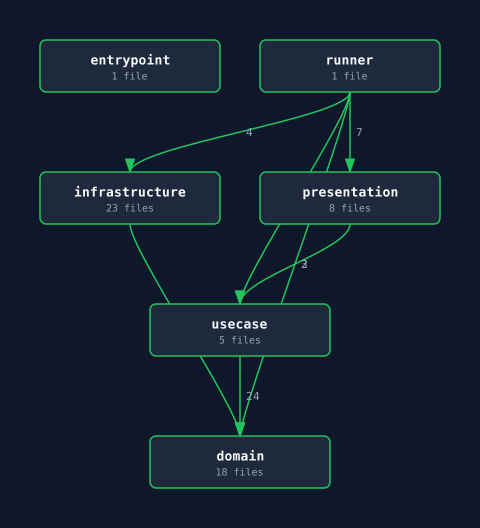
mille checkmille check ./path/to/project # specify target directoryChecks layer dependencies, external library usage, and method call patterns against the rules defined in mille.toml.
You can pass a project directory as a positional argument. Defaults to the current directory (.) if omitted.
Output Formats
mille check # terminal output (default)mille check --format github-actions # GitHub Actions annotationsmille check --format json # machine-readable JSONTerminal Output Example
VIOLATION [error] dependency_violation  src/usecase/user.rs:12  usecase → infrastructure (denied)  import: crate::infrastructure::db::UserRepository
1 violation(s) found
GitHub Actions Annotations
::error file=src/usecase/user.rs,line=12::dependency_violation: usecase → infrastructure (denied)Fail Threshold
mille check # exit 1 on error only (default)mille check --fail-on warning # exit 1 on warning or errormille check --fail-on error # same as defaultExit Codes
| Code | Meaning |
|---|---|
0 | No violations |
1 | Violations found |
3 | Configuration error |
Auto-excluded Paths
mille check automatically skips: .venv, venv, node_modules, target, dist, build, and similar directories.