mille analyze
Overview
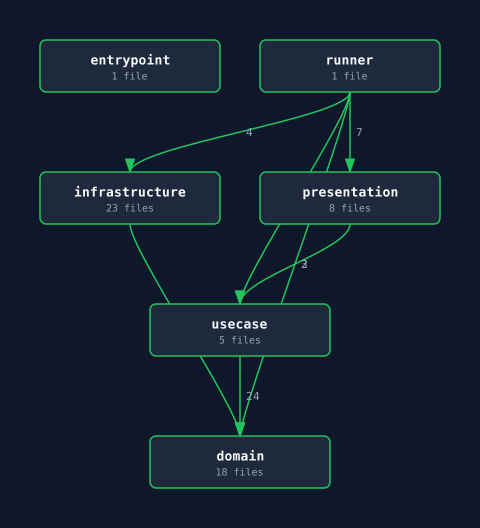
mille analyzemille analyze ./path/to/project # specify target directoryVisualizes actual dependencies as a graph without enforcing rules. Ideal for understanding the current state of your architecture before running mille check.
You can pass a project directory as a positional argument. Defaults to the current directory (.) if omitted.
mille analyze always exits with code 0.
Output Formats
mille analyze # terminal output (default)mille analyze --format json # JSON graphmille analyze --format dot # Graphviz DOTmille analyze --format svg # self-contained SVGSVG Output
mille analyze --format svg > graph.svg && open graph.svgGenerates an SVG file you can open in a browser (dark theme, green edges).
DOT Output (Graphviz)
mille analyze --format dot | dot -Tsvg -o graph.svgJSON Output Example
{ "layers": ["domain", "usecase", "infrastructure"], "edges": [ { "from": "usecase", "to": "domain" }, { "from": "infrastructure", "to": "domain" } ]}